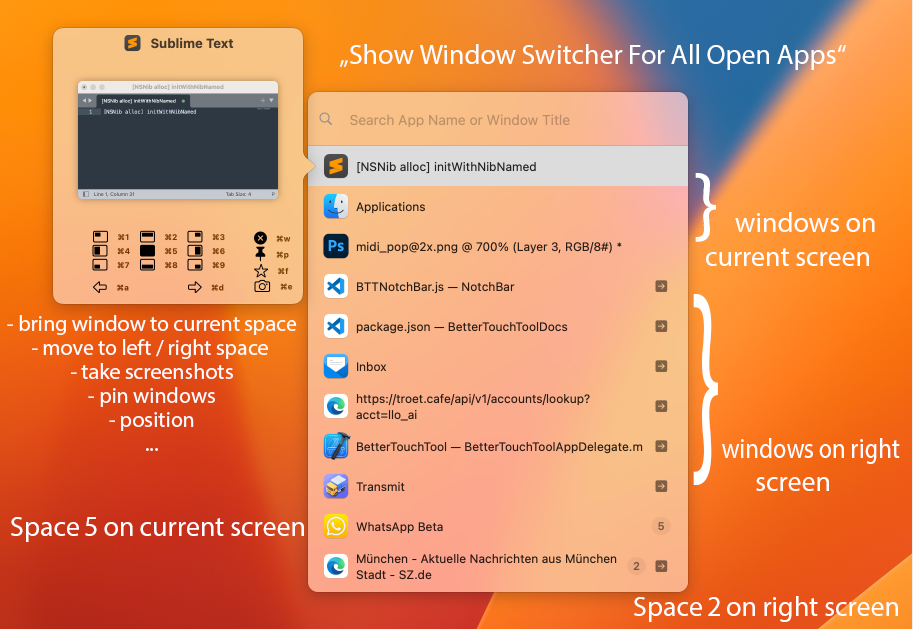
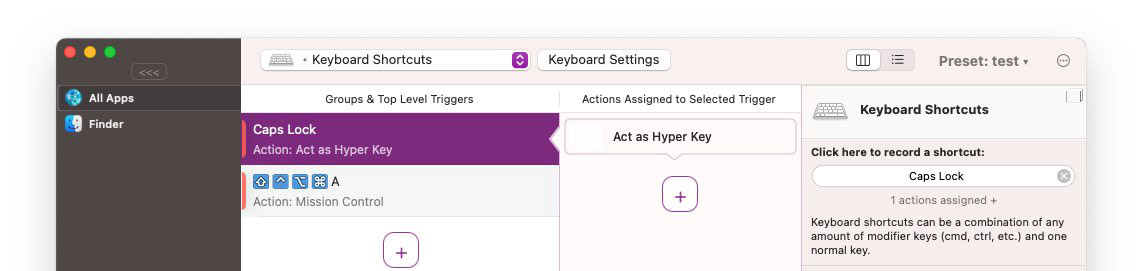
Added prompt history, quick activation of the first nine results with Command+1–9, and three configurable result row densities.
Added "Run with Prompt" shortcuts that pass the Launcher's current input directly to AI assistants, Apple Shortcuts, BetterTouchTool actions, and Launcher plugin actions.
Added searches for open browser tabs, Apple Notes creation, Spotify and Apple Music, websites, and browser searches directly from the Launcher.
The search field now expands for multi-line input, and search ranking, result stability, long-query handling, and multi-app window arrangement performance have been improved.
Apple Shortcuts refresh automatically when they change, calculations in prompt history include their results, and keyboard shortcut results now use clearer titles and descriptions.
AI chats now run directly inside the Launcher, with progress and cancel controls, improved keyboard navigation, and the option to move a conversation seamlessly into the full chat window.
Floating Menus
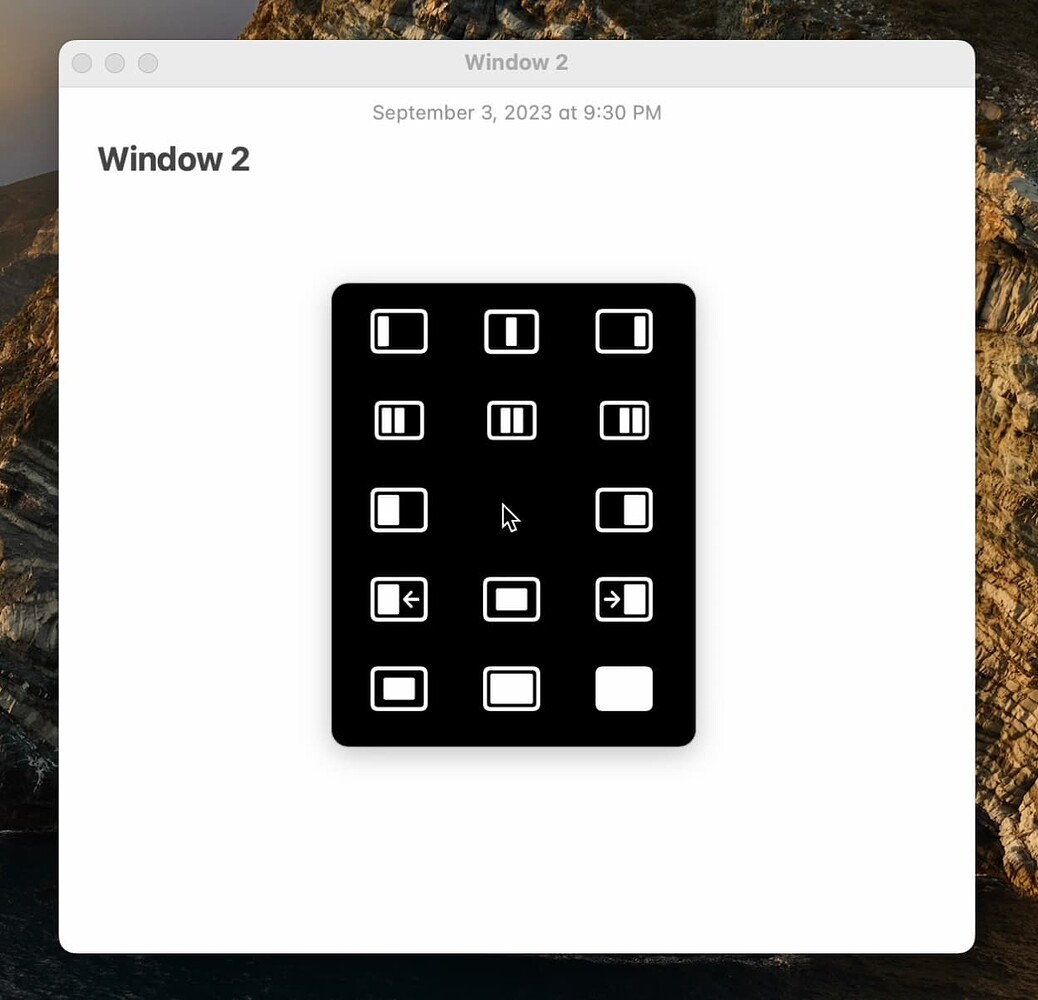


Circular menus can now show submenus as configurable fan-out arcs around the main ring, with click or hover activation, adjustable spacing, keyboard support, and automatic positioning near screen edges.
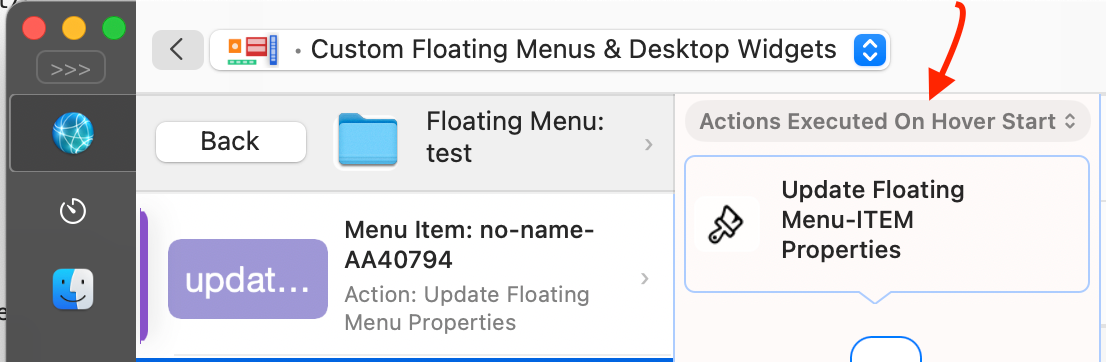
Keyboard shortcuts, key sequences, trackpad and Magic Mouse gestures, and mouse buttons can now be assigned directly to individual floating menu items, with configurable activation scopes and optional shortcut hints. This can be done by selecting a floating menu item => "Add Action For Trigger Category" => Item Triggers
Added the "Trigger Specific Floating Menu Item" action and the "Focused Floating Menu ID" condition variable for more flexible menu automation.
Creating and changing menu items now preserves or reuses styles more intelligently, including custom text and icon placement.
Improved keyboard input, focus handling, window-relative positioning, submenu animations, and reliability when switching apps or changing displays.
Embedded web content now keeps its scroll position and form state across display changes, and several unexpected hiding, flickering, and crash issues were fixed.
Input Devices & Gestures
Touch input and connected devices now remain more responsive when the Mac is busy, while menus are open, or while mouse and scroll events are being tracked.
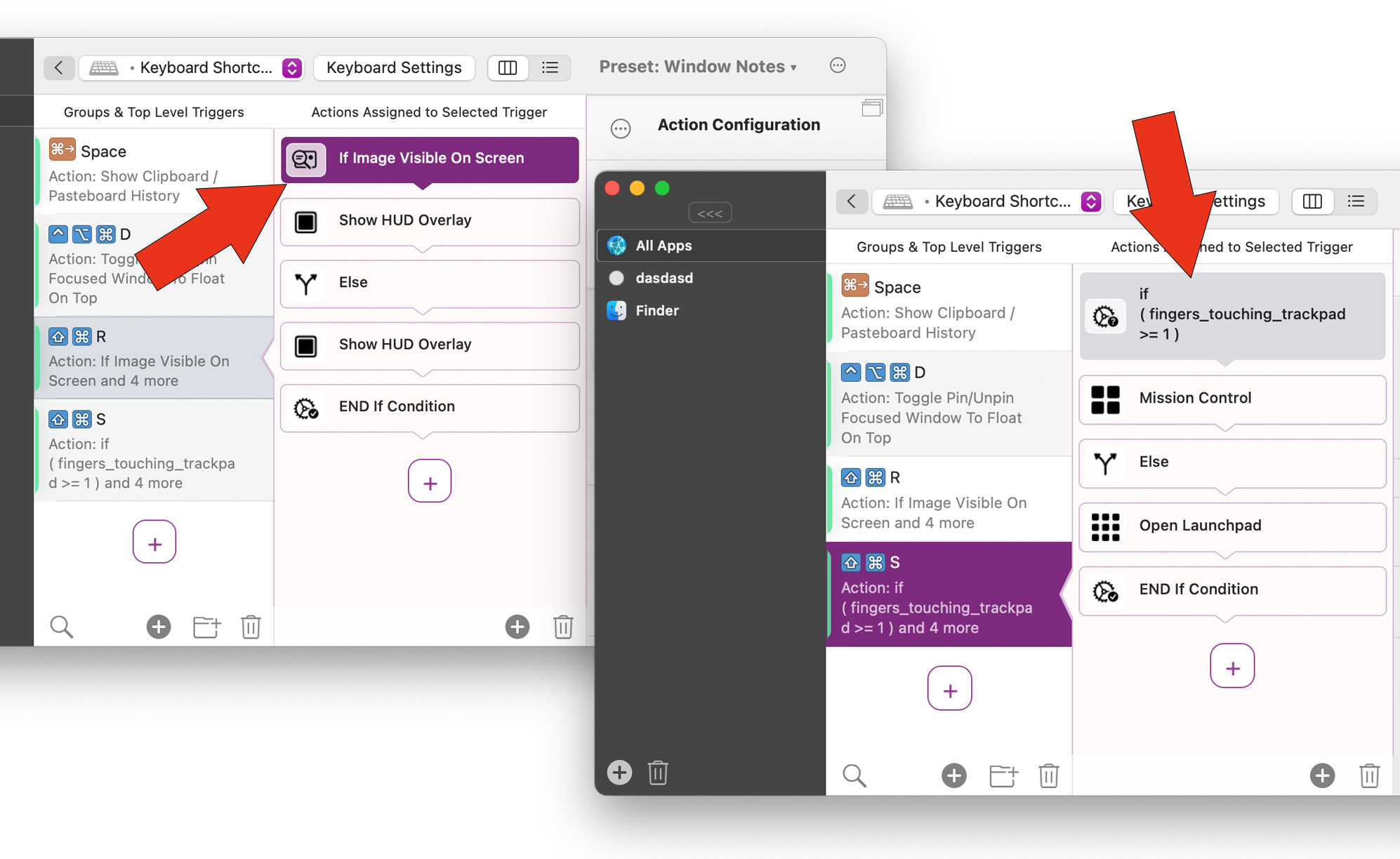
Added live finger-distance variables (leftmost_rightmost_touch_distance_percent, leftmost_rightmost_mouse_touch_distance_percent) for trackpads and Magic Mouse devices, which can be used in advanced trigger conditions. That allows to trigger different actions depending on the finger distance e.g. for swipe gestures
Improved light Tip Tap recognition on Force Touch trackpads and prevented Tip Taps from incorrectly triggering Two Finger Tap actions.
Fixed active trackpad and Magic Mouse gestures, mouse drags, and text selections sometimes being interrupted by unrelated device, display, or wake notifications.
Logitech mice gained a System pointer-speed mode, more reliable wireless speed detection, automatic application of saved settings, and fixes for multi-button configuration and MX Master 4 Haptic Sense settings.
Fixed the reverse-scrolling setting for normal mice not being saved or applied correctly.
New Actions & Automation
Added a configurable Dock App Click action that intelligently toggles the app beneath the pointer: it activates the app or restores its windows when it is inactive, hidden, or minimized, then minimizes or hides it when it is already active.
Dock App Click can operate on the frontmost window or all visible windows, restore either one or all minimized windows, and optionally handle full-screen or standard windows only.
Additional Dock App Click options allow using the native minimize button, falling back to a normal Dock click, and suppressing accidental duplicate clicks. Dock app detection and window toggling have also been made more reliable.
Added a Run JavaScript in Browser action with support for Safari and a wide range of Chromium-based browsers, plus more reliable extension setup and browser communication.
Restored searching, clicking, hiding, and showing other apps' menu bar status items on newer macOS versions.
Continuous smooth scrolling, zooming, rotating, and Space-switching gestures now stop automatically if they are accidentally left running.
Added full Open Sound Control (OSC) support, including actions for sending messages, triggers for receiving them, connection settings, address filtering, and variables containing received message details.
Window Management & Searchable Lists
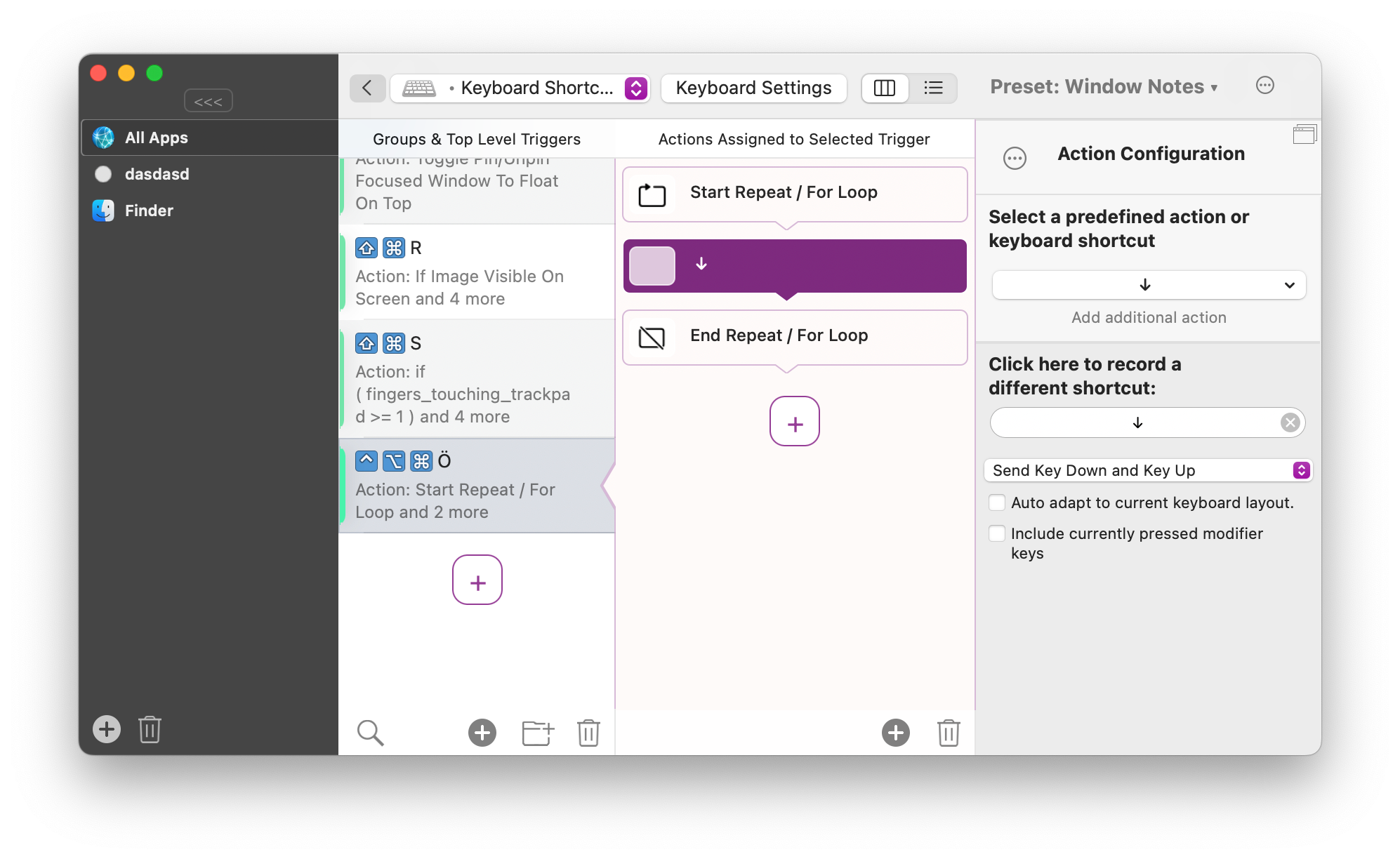
The Start Moving/Resizing Windows actions now offer automatic and configurable stop conditions, including lifting all fingers, releasing modifier keys, clicking to place, or using a separate stop action.
Multiple searchable lists can now stay open at once, each remembers its own size, and lists can be pinned or unpinned with Command+P.
Improved focus restoration, selection highlighting, resizing, hovering, and scrolling for pinned and searchable lists.
Sync, Sleep & Display Reliability
Experimental iCloud preset sync now includes conflict resolution, continues syncing unaffected presets while conflicts are pending, and is configured directly in the Sync settings.
Standard and Setapp builds now use the same iCloud sync storage, and notification, scheduling, resume, and accidental-deletion safeguards have been improved.
USB and Bluetooth connection triggers are more reliable after sleep and regardless of the active app, including improved Bluetooth disconnect detection.
Display triggers no longer fire twice, and display changes cause fewer unnecessary resets, menu movements, or NotchBar flickers.
Compatibility & General Improvements
BetterTouchTool now requires macOS 12 or later (unfortunately Xcode 27 doesn't allow me to build for macOS 11 anymore).
The legacy Process Priority Helper Tool has been retired and can be removed from Settings if it is still installed.
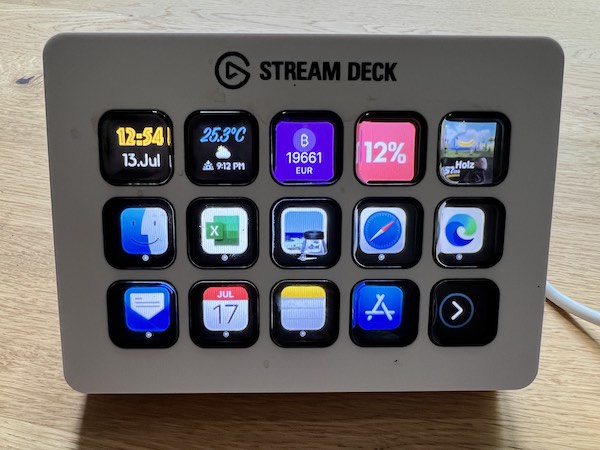
Improved the explanations shown for macOS privacy permissions and fixed several stability issues involving event monitoring, configuration forms, login-screen transitions, scripting arguments, browser communication, and Stream Deck widget styling.
BetterTouchTool >= 6.588 (June, 17, 2026)
Various stability improvements and initial support for macOS 27 beta.
Split into separate Apple Silicon and Intel versions (for updates) to make the app smaller and updates faster. Universal build is still provided for standard downloads via https://folivora.ai
Input Devices, Gestures & Scrolling
Improved smooth scroll modifier with better defaults, higher smoothness values, slow-wheel response tuning, reverse-scroll fixes, and broader mouse acceleration/resolution compatibility.
Improved Logitech mouse and keyboard support, including better wake/reconnect restoration, high-resolution wheel handling, MX Ergo support, pointer speed mode options, and more reliable pointer speed/acceleration handling.
Improved keyboard shortcut reliability while secure input is active on the system, left/right modifiers, Fn/Globe, function keys, arrow keys, and numeric keypad keys.
AI Assistant & MCP
Added a much richer AI chat experience: expanded standard windows, conversation sidebars, multiple conversations per window, background generation indicators, themes, faster scrolling/typing, and an option to open directly in the expanded chat window.
Conversation management is much more complete, with pinning, renaming, branching, exporting, deleting, edit/resend, undo, and cleanup of unpinned chats.
Added support for newer Claude models, improved adaptive/extended thinking handling, better prompt caching for lower cost and faster long conversations, and more reliable tool-call handling across OpenAI, Anthropic, DeepSeek, MiMo, OpenCode, Codex CLI, and related providers.
Improved AI integrations with custom CLI paths, clearer setup/test errors, better OpenCode permission prompt handling, improved image attachments, Markdown tables, and safer handling of very large context items.
Improved the built-in MCP server with optional authentication tokens, persistent sessions across BTT restarts, assistant auto-activation, streamable HTTP compatibility, large-result truncation, and better timeout behavior.
Launcher
File search is much more capable: direct File Search entries, custom external search commands, recent file-search suggestions, optional integrated file browsing, Finder reveal fixes, folder/file copy-paste-move actions, and better caching/validation.
Launcher performance was improved across startup, first typing, result loading, sorting, calculations, currency/unit formatting, icon loading, and action execution.
Added launcher-based window arrangement: type app names separated by "and", commas, or "+" to arrange their windows side by side, with support for thirds, quarters, stacked layouts, launching missing apps, and pulling windows from other Spaces.
Expanded clipboard integration in the launcher with richer item action menus, multi-selection support, custom shortcuts, improved selection behavior, and an option to move pasted clips back to the top.
Setup, Settings & Sync
Added a redesigned welcome/setup flow on macOS 26, including improved permission guidance and more reliable navigation to Accessibility and Screen Recording settings.
Fixed a serious case where revoking Accessibility permission while BetterTouchTool was running could freeze keyboard and mouse input; BTT now detects and recovers from that state more gracefully.
Started implementation on a modernized settings window for macOS 13 and later, with a searchable sidebar and cleaner General/Sync panels. Panels will be updated step by step.
Improved (still very experimental) iCloud sync reliability and cleaned up the Sync settings page, including clearer handling when sync starts before iCloud is ready.
Window, Snap Area & Space Management
Predefined action "Switch To Desktop X" can now do an instant jump to that desktop without animation
Added the Snap Area Manager window for reviewing/editing snap areas, creating snap areas from the active window, copying/moving areas between displays, refreshing display data, and editing geometry/pictograms from an inspector.
Improved snap area editing with direct canvas selection, better small-area hit targets, hover tooltips, and slider changes that no longer jump while dragging.
Improved custom positioning for the Window Switcher and search windows, plus more reliable multi-Space switching and scroll/drag-triggered Space switching behavior.
Menus, Lists, Clipboard & Automation
Improved menu bar item hiding/showing on macOS 27 beta.
Improved custom Dock icons so multiple icons update, shut down, and remove more reliably.
Added searchable list close-behavior options and a pin mode for keeping lists open while triggering multiple items.
Improved shell script execution, AppleScript clipboard access, Now Playing browser detection behavior, BTT Remote connection reliability, and basic debug log export.
Browser Integration (optional, off by default)
Added optional Safari and Chrome / Chromium browser extensions for faster and more reliable browser automation.
Browser extensions can run JavaScript in the active tab, list and switch tabs, and provide instant current URL/title updates for triggers and conditional activation groups.
Added a new Browser Extensions settings area with guided setup for Safari and Chrome.
BetterTouchTool >= 6.493 (May 7, 2026)
BetterTouchTool 6.493 includes a large set of new features, refinements, and reliability improvements. The biggest areas of work are the new Launcher, much improved mouse gestures, BTT Mobile, AI assistants, plugin creation, and lots of smaller fixes and improvements across the app.
New BTT Spotlight like Launcher (Beta, Work in Progress)
Search and run installed apps, running apps, windows, BetterTouchTool actions, configured triggers, floating menus, clipboard history, files, folders, System Settings panes, AI assistants, calendar items, reminders, notes, timers, emoji, and Now Playing controls.
Organize launcher sections into folders and groups, reorder sections, pin frequently used items, add files and folders as shortcuts, configure visibility modes, and set custom titles, subtitles, icons, keywords, aliases, groups, and sort order.
Use fuzzy matching, abbreviation matching, keyword search, per-query learning, general usage learning, custom per-item shortcuts, and result ranking to find things faster over time.
Browse files directly inside the Launcher, including file search, folder navigation, previews, Quick Look, Open With, Reveal in Finder, Copy Path, Trash, drag and drop, and recently opened files.
Use built-in utility surfaces for timers, calendar/reminders, speech dictation, emoji, unit conversion, currency conversion, math results, notes, Now Playing, and Apple TV Remote.
Open floating menus inside the Launcher, embed floating menus below the prompt, and expose Searchable Lists or Custom Context Menus as expandable launcher entries.
Use launcher plugins (such can even be generated via AI inside of BTT) and Simple JSON launcher items to add dynamic search results, child items, commands, keyboard shortcuts, and full launcher-hosted surfaces.
Continue AI assistant conversations directly inside the Launcher, keep long-running conversations alive as pills, and reopen recent conversations from search.
Powerful natural language calculations powered by the amazing Soulver.app Core. Definitely checkout https://soulver.app, it is an amazing natural language notepad calculator app for the Mac, iPad & iPhone.
This allows for requests like "1h 30min + 1h 25min + 30min", "100g + 1kg", "1 USD + 2€", "1 cup + 1 liter", "100°C - 23°F", "90 minutes from now", "55usd + 33%"
Gestures, Keyboard, and Input
This release includes many improvements for triggers, gestures, haptics, shortcuts, and input automation.
Reliability of mouse gestures has been improved a LOT by finally identifying and fixing a critical bug that has been there for ages
Improved drag up/down/left/right action categories for normal mouse buttons. For the continuous drags you can now define a re-trigger treshold per mouse button.
Improvements for Magic Mouse and Trackpad gestures. Many of the gestures now support click press/release action categories. For example a three finger click can now trigger one action sequence on "click down" and another action sequence on "click release".
Keyboard shortcuts that have advanced trigger conditions assigned can now use the "If conditions fail, let the shortcut pass through" option. This makes many setups much easier.
New Key Sequence visualizer that helps a lot in identifying issues with Key Sequences
New predefined action "Set / Press / Release Selected Modifier Keys". This action is very customizable with lots of compatibilitiy options and can help triggering actions in apps that require you to hold a specific set of modifier keys. This has often been problematic in the past.
Added an "Allow Parallel Execution" option so duplicate matching triggers can run together instead of showing a conflict menu.
Added a new action to set, press, or release multiple selected modifier keys at once, including left/right variants.
Improved simulated keyboard shortcuts with options to include currently held modifiers and send at a lower system level for apps that ignore standard simulated events.
Smooth scrolling modifier received multiple refinements, including per-axis scroll modifier filtering, reduce/disable scroll acceleration options, better direction changes, smoother momentum/ease-out behavior, and fast-scroll stutter fixes.
Fixed several edge cases around stuck modifiers, key sequence recording, right-click plus scroll gestures, mouse-up triggers with modifiers, and sleep/wake modifier state.
Added an Active App tab for seeing and controlling the currently active Mac app, including activate, hide, quit, and force quit actions.
Added a Settings screen for showing or hiding tabs such as Menus, Active App, Launcher, and AI Chat. The selected tab is now remembered between app launches.
Improved AI chat on mobile with model and tool pickers, clearer empty states, thinking output support, working indicators, better tool result icons, and better privacy for inline links.
Improved floating menu sync and nested menu updates, especially for large menu collections and deeply nested items.
Improved pairing, reconnecting, stale connection handling, duplicate server handling, certificate error reporting, and multi-device connection stability.
Actions and Automation
Added Quit Specific Application, with support for normal quit and optional force quit fallback.
Send Shortcut to Specific App can now target the active app or the app under the cursor.
Custom Click can now send mouse events to the currently hovered window, even if it is not focused.
Find Text on Screen now stores recognized text and success state in variables, can continue execution when no match is found, and provides better diagnostic output.
Added Power Mode Changed triggers and the power_mode variable for reacting to Automatic, Low Power, and High Power mode changes.
Added Running Processes and other useful condition variables, plus faster variable lists and better rule editor navigation.
Added Toggle Mute Microphone, with support for all connected input devices and restoring previous volume levels.
Improved speech dictation, including a Launcher dictation surface, review actions, restart recording, and saving transcripts to variables.
New predefined actions "Apple TV: Show Remote" and "Apple TV: Control Device". With these you can control all of your Apple TVs from your Mac.
AI Assistants and h@llo.ai (all optional and disabled by default)
AI assistant support has been expanded across setup, model selection, automation, chat UI, external integrations, and plugin creation.
Added ChatGPT subscription / Codex sign-in via OAuth, so supported AI features can use a ChatGPT account without requiring an API key.
Added GPT-5.5 and many newer OpenAI/Codex model choices, plus improved model pickers for OpenAI, OpenAI-compatible servers, Codex CLI, OpenCode CLI, and ChatGPT subscription accounts.
Redesigned AI setup flows around Cloud API, Local Model, and CLI Tool choices, with better support for LM Studio, Ollama, Jan, LocalAI, Apple Foundation Models, Claude CLI, Codex CLI, and OpenCode CLI.
Added fetch/test helpers for model setup, better handling of local servers without API keys, show/hide toggles for API keys, and cleaner hiding of fields that do not apply to the selected provider.
Added and refined the AI skills system, including active/optional/off skill states, skill search, categorized skill lists, custom skill editing, optional skill requests, and safer defaults for the BetterTouchTool AI Config Assistant.
Added background automation tools that can inspect and control specific apps or windows without activating them or moving the real mouse cursor. This includes background clicks, text entry, key presses, scrolling, app launching, menu bar actions, screenshots, and UI structure inspection.
Added an optional fake cursor overlay for visualizing what background automation is doing.
Added a BetterTouchTool MCP server so external AI clients such as Codex and Claude Code can use configured BetterTouchTool assistants with their permissions and tools.
Improved the BetterTouchTool AI Config Assistant with clearer setup, renamed labels, better default skills, better routing instructions, and automatic setup when first used.
Plugins
Plugin creation and installation are now much more capable.
Added support for launcher plugins that can contribute native results, child items, commands, shortcuts, and custom launcher surfaces.
Added support for JSON action plugins using the .bttjsonplugin format, allowing configurable plugins to be distributed without compiling Swift code.
The Plugin Manager now recognizes launcher plugins, trigger plugins, and JSON plugins more reliably.
BetterTouchTool now registers as an editor for .bttjsonplugin files.
The AI Plugin Creator can create and edit action plugins, launcher plugins, trigger plugins, floating menu widgets, Stream Deck plugins, Touch Bar plugins, Swift plugins, and JSON plugins.
Swift plugin creation is safer and clearer: failed compilations no longer appear as successful, previous approval state is cleared after failures, and the assistant can edit existing Swift plugin files without rewriting everything.
Floating Menus
Floating menus can now appear inside the Launcher or be embedded below the Launcher prompt.
Added new visibility action for App-Specific Floating Menus: "Show Via Action, Restore When App Becomes Active again" visibility option for app-specific floating menus.
Free-moving and fixed-initial-position menus better remember their last position when closed automatically during app switching.
Web view floating menus can use BetterTouchTool variables inside URLs or HTML content.
Drawer widgets gained much better drag and drop support for files, URLs, images, colors, text, rich text, HTML, RTF, and browser-specific clipboard formats.
Floating menu tooltips were refined for better positioning, dismissal, and less intrusive display.
Improved floating menu resizing, mobile sync efficiency, item lookup, nested variable tracking, and layout reliability.
Stream Deck and Logitech
Added a Switch Stream Deck Plugin Profile action, including bundled starter profiles, profile/page switching and target device selection.
Added MX Master 4 support for Haptic Sense feedback power and thumb-button press sensitivity
Improved Logitech receiver re-detection after sleep or reconnect.
Many bugfixes, better after-wake-from-sleep handling
Smooth Scrolling (normal mice)
Simplified configuration of the Smooth Scroll Modifier with a single Smoothness slider
Support for very slow auto-scroll speeds (0.01–0.05) and finer speed control
Horizontal-only trackpad scroll simulation option
Fixed rubber banding, swipe navigation, and momentum issues in Safari
Trackpad & Mouse Gestures
New edge swipe gestures — 1-finger and 2-finger swipe gestures along all four trackpad edges (left, right, top,
bottom), with continuous triggering and animated previews
Circle gestures — Draw clockwise or counter-clockwise circles on the trackpad or Magic Mouse to trigger actions,
with configurable circle count and shape tolerance
Long Touch gestures — Hold 1–5 fingers stationary on the trackpad or Magic Mouse for a configurable duration to
trigger actions
All swipe gestures now have an additional action trigger category "Quick Flick". This allows to trigger different actions when doing a fast swipe.
Mouse button drag gestures — Fixed Right-click drag gestures (up/down/left/right) with both discrete and continuous
action modes
Key Sequences / Typed Strings
Import snippets from files — Import text snippets from CSV, JSON, Espanso YAML (subset), and AutoHotkey (subset)
files with auto-detection and batch import
Fixed modifier-only key sequences with minimum hold time not triggering reliably
New Actions
Auto Scroll (Toggle) — Continuous auto-scrolling with visual overlay and cursor-based direction/speed control
Play Sound File — Play system or custom sound files (AIFF, WAV, MP3, M4A, CAF, AAC)
New Triggers
Audio Output/Input Device Changed — React when default audio devices switch, with optional regex filtering
Floating Menus
Drawer Widget — Drop target for collecting and organizing files with grid, list, and horizontal layouts, toolbar,
drag-to-remove, and Quick Look support
Now Playing Widget — Shows current track with album artwork, progress bar, and per-app filtering
Weather Widget — Current conditions, forecasts, and configurable units/location
Custom Plugin Widgets — Third-party or user-created widgets with interactive controls
Lock screen support — Floating menus can optionally remain visible on the lock screen
New positioning modes — "Fixed Initial Position, Then Free Move" and "Disable Drag" option
Horizontal/vertical alignment and sub-menu positioning options
"Above Menu Bar" window level
Search/filter field in the configuration panel
New templates: Drawer Widget, Circular App Switcher, Notch Menu
Cleaner/more compact preset exports, various bug fixes
Keyboard Shortcuts
Fixed modifier key release issues (ghost modifiers, premature clearing, stuck state after secure input)
"Key Down Only" / "Key Up Only" labels in action descriptions with usage warnings
Window Management & Spaces
Improved "Move Window to Space" reliability on macOS 15+
Fixed Spaces detection when "Displays Have Separate Spaces" is off
Live Touch Visualization
Redesigned touch visualization with smooth trails, force indicators, and gesture logging
Usage Statistics
Updated/modernized usage statistics window with daily trend charts and most-used trigger rankings
Clipboard Manager
Retrieve selected items via scripting (AppleScript/JavaScript) in selection order
UI fixes for sidebar toggling and focus rings
AI Assistant / h@llo.ai (beta, fully optional, off by default)
"Ask AI" configuration assistant — Built-in AI assistant in preferences for creating triggers, shortcuts,
automations, and floating menus via natural language
Claude Code CLI, Codex CLI & OpenCode CLI support — Use Claude Code CLI, Codex CLI and OpenCode CLI as an AI
backend
Model Fallback Chain — Automatic fallback to backup models on API errors
Model browser — Browse and select AI models across providers with live pricing info
Persistent AI memory — The AI remembers details across conversations with on-device embedding fallback
Adaptive thinking for Claude 4.6 models with configurable effort levels
Custom skills, prompt blocks, and scheduled AI tasks
Plugins install to user folder and are bundled when sharing/exporting triggers
Other
Icon picker screenshot capture — Take a screenshot and use it as an icon
Customizable preferences toolbar (right-click to rearrange)
Improved JSON import/export with categorized action grouping
Animations respect macOS "Reduce Motion" setting
Fixed conditional actions (If/Else) execution order
Fixed some triggers from deactivated presets still executing
Improved Apple Shortcuts reliability
New InputVolume built-in variable
Added/improved translations for Chinese, French, German, Japanese, Korean, Spanish
Various stability and performance improvements
BetterTouchTool >= 6.176 (February, 10, 2026)
This is a pretty huge release that touches many parts of BTT
Normal Mouse Related Changes
Lots of improvements for normal mouse setups in BetterTouchTool.
Multi button clicks or button click+scroll triggers can now be recorded.
Easy setup for short/long button presses.
Easy setup for drag up/down/left/right gestures. You can also assign the new predefined actions "Start Smooth Zoom", "Start Smooth Space Switch", "Start Smooth Rotate" or "Start Smooth Scroll" to these drag categories to simulate native gestures while dragging with a mouse button.
Various scroll modifiers, for example trackpad like smooth scrolling (much improved), zooming, rotating and space switching. In general improved the behavior of scroll modifiers a lot. Scroll modifiers now also support advanced trigger conditions to make them only active in certain situations.
Logitech Support (example presets & documentation @ https://docs.folivora.ai/docs/4000_logitech.html) has come a long way since its initial release in December. Huge thanks to the many testers! Now most of the Logitech mice and keyboards are supported directly in BetterTouchTool without the need for any other mouse driver/software! Here are some of the mice/keyboards that have been tested successfully: MX Master 3, MX Master 3S, MX Master 4, MX Master 3S For Mac, MX Anywhere 3, MX Anywhere 3S, MX Vertical, MX Ergo Precision, M720, G402, All G502 variants (Proteus Core, Proteus Spectrum, HERO, HERO Wireless, X, X PLUS, X Wireless), G903 / G903 HERO
Keyboards: MX Keys, MX Keys Mechanical, MX Keys For Mac, MX Keys Mini, MX Keys Mechanical Mini
Various new Logitech related predefined actions, e.g. for haptic feedback, toggling ratchet mode, switching hosts etc.
Other Changes
You can now right-click a floating menu (in the BTT configuration) and choose "Save As Template", then you'll be able to reuse it later.
Easier advanced keyboard shortcut setup via Action Trigger Categories
Stream Deck Plugin Mode has been completely rewritten. BTT will not need to restart your Stream Deck software anymore.
Stream Deck MK2 Scissor Keys is now supported in full control mode.
Powerful new predefined actions "Start / Stop Dictation / Recognizing / Transcribing Speech". These use Apple's new local AI models for speech transcription and only work on macOS 26 and higher. The transcription is happening 100% offline.
New predefined actions: "Start Smooth Scrolling" and "Stop Smooth Scrolling"
New predefined action "Start Smooth Zoom" and "Stop Smooth Zoom"
New predefined action "Start Smooth Rotate" and "Stop Smooth Rotate"
New predefined action: "Debounce", which prevents following actions in the action sequence from triggering for a specified amount of time.
The predefined action "Access / Interact With / Click Specific UI Element" can now save the value or description of a specified element to a variable.
The predefined action "Save / Restore Window Layout" can now also launch the referenced apps if they are not running yet.
Fixed an issue with the "Specific App Did Create Window" and "Specific App Did Destroy Window" trigger. This works also with system apps, e.g. you can use com.apple.notificationcenterui to trigger this whenever notification centers shows a new notification.
Fixes
Fixed issue when dragging folders between apps
Fixed: Floating menu templates can now also be used with specific apps / CAGs and won't be always added to "All Apps" anymore.
Fixed: When using drawing / mouse gestures the space key sometimes stopped working
UI Changes: Due to various recent Xcode issues I was forced to (finally) migrate away from using Storyboards for BTT's UI. The UI is now generated programatically. During this migration I also applied the basic Tahoe styling. There will be some differences compared to how it looked before, but the functionality is mostly the same. This was a huge internal change, so if you encounter any bugs, please report them.